How do I delete an asset from my account?

By Charlotte Ellarby
Published on July 17, 20181 min read
Back to Blog
Published on July 17, 2018 • 2 min read

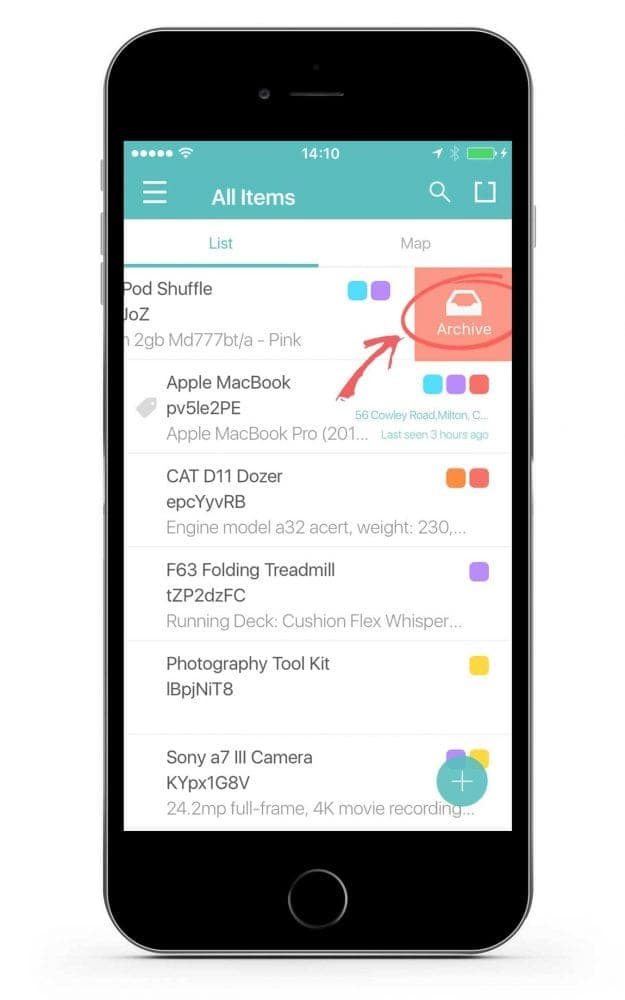
1. Swipe from the right side of your screen on the asset you would like to delete.
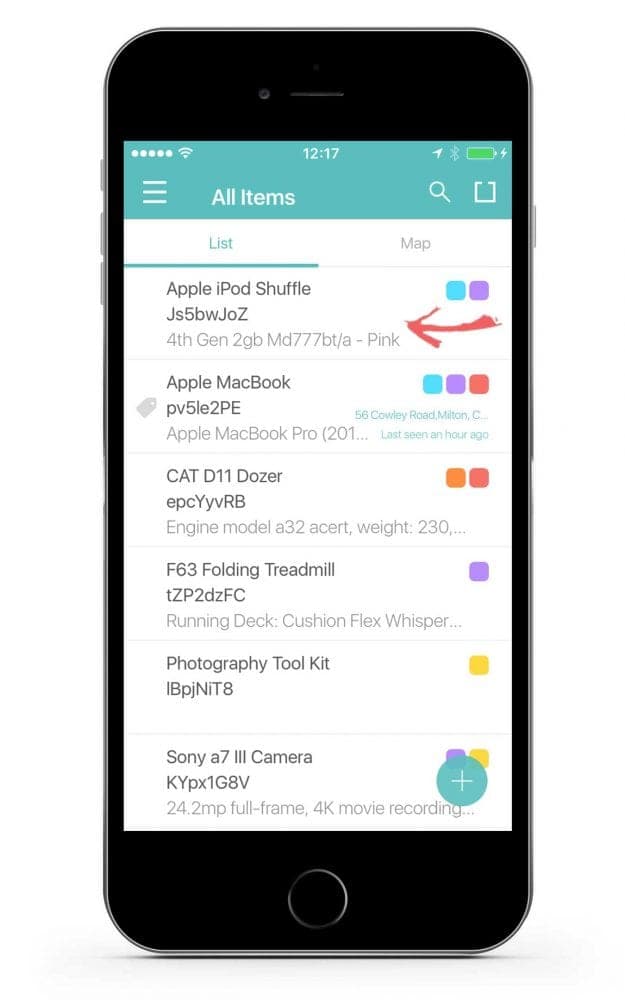
2. Tap the archive icon.
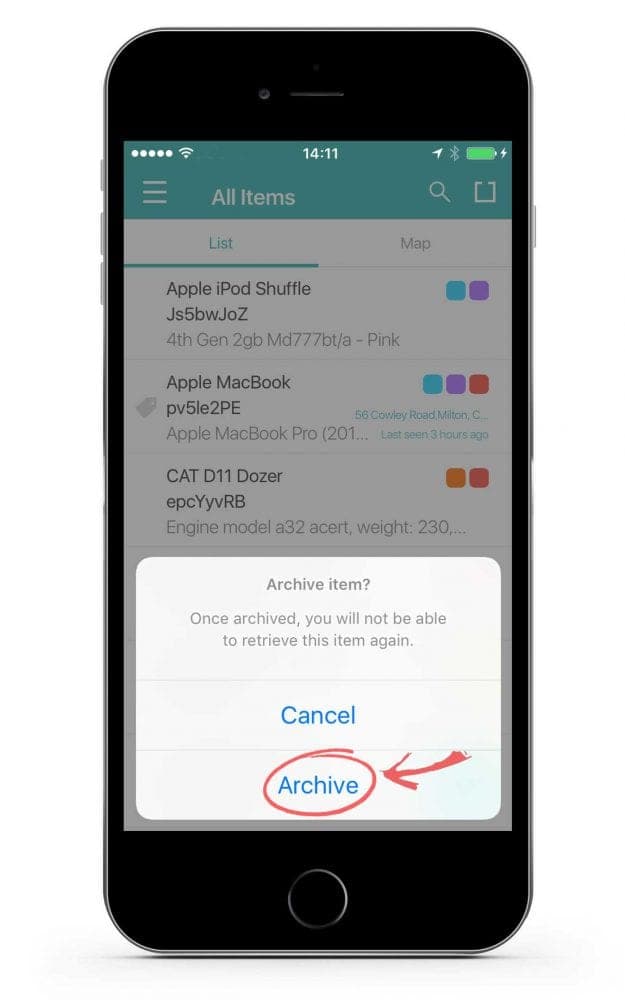
3. Confirm that you would like to delete the asset by tapping on the archive button.
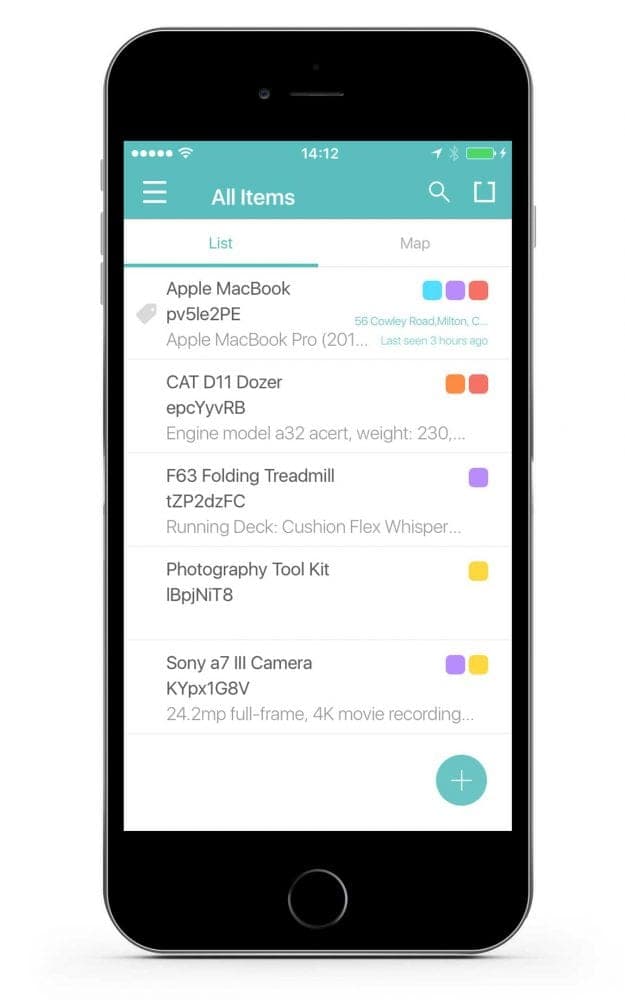
4. Your asset has been successfully deleted from the account.
Choose a better way to track your assets.

Start your trial. 14 days. No risk. No credit card.

itemit Asset Tracking Assets

Don't just track it. itemit.

Start your trial. 14 days. No risk. No credit card.

Assets tracked using itemit